Sign up and log in
You need to log in to MyLifeBook to start recording. If you have a Google or Kakao account, one button is all it takes. If not, sign up with your email.
When you are done, you will see the home screen with "Hello, (your name)" at the top.
What you need
- A computer or phone with internet access
- A Google or Kakao account, or an email address
1. Open the login window
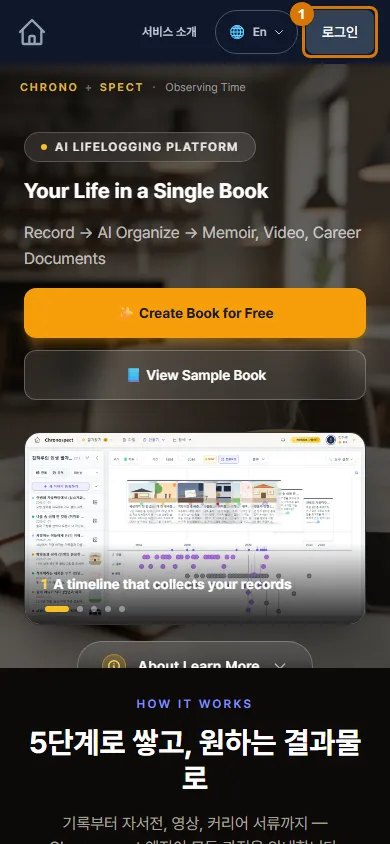
- Go to mylifebook.kr.
- Click Login at the top right. Clicking ✨ Create Book for Free in the middle opens the same window.
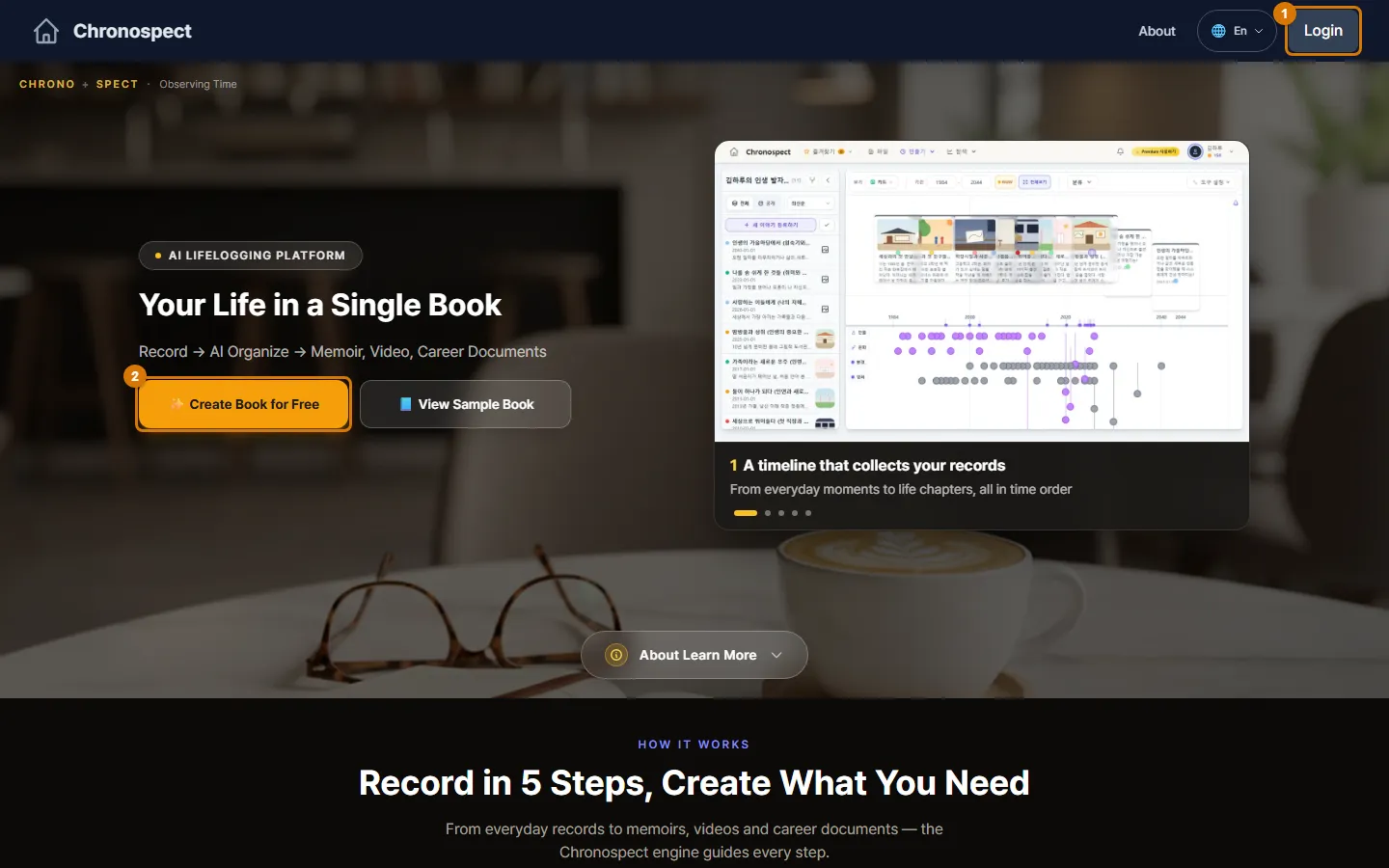
TipEven before you log in, you can change the screen language with the 🌐 button at the top right (한국어 · English · 日本語 · Tiếng Việt).
2. Log in
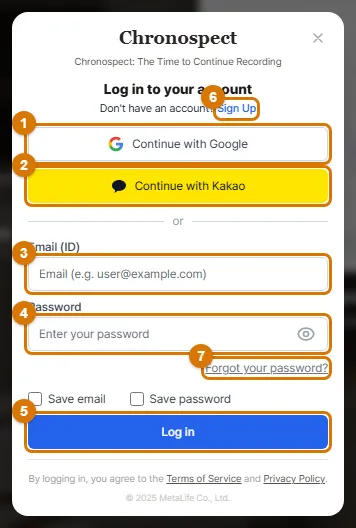
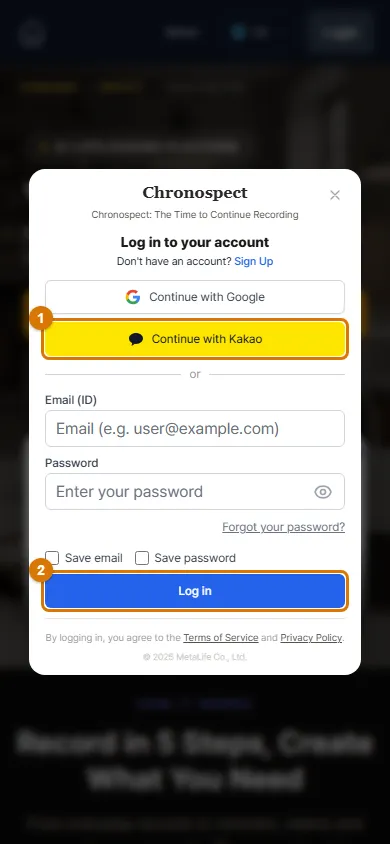
- Google or Kakao: click Continue with Google or Continue with Kakao and allow access with that account. That is it. If it is your first time, your account is created automatically.
- Email: enter your Email (ID) and Password, then click Log in.
- Check Save email and Save password so you do not have to type them again next time. Do not check them on a computer that other people share.
NoteIf you open the link inside KakaoTalk, Google login is blocked. Choose "Open in another browser" from the menu at the bottom right, or use Continue with Kakao instead.
3. Sign up with email
- At the bottom of the login window, click Don't have an account? Sign Up. The window title changes to Create an account.
- Enter your email and click Check availability. You cannot sign up until you check it.
- Enter a Password of at least 8 characters, and type it again in Confirm Password.
- Fill in Name, Date of Birth and Gender. You can leave Birth Place empty.
- Open and read the terms links, check "I agree to the Terms (Required)", then click the sign-up button.
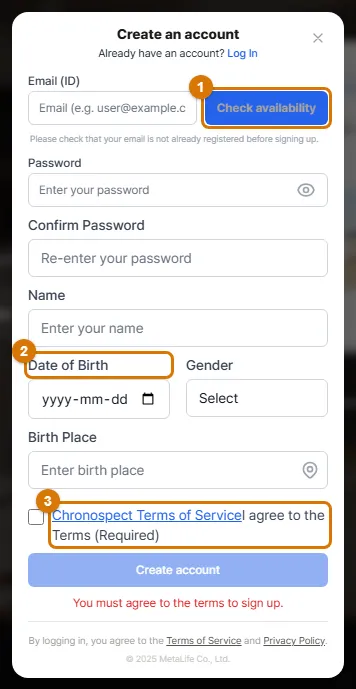
TipBe sure to enter your date of birth. When you make a template book, it is used to turn ages (for example, age seven or age twenty) into years for each story slot.
4. If you forgot your password
- Click Forgot your password? in the login window.
- Enter the email address you signed up with and click the button to send the reset email.
- Open the link in the email within 1 hour. If you cannot find the email, check your spam folder.
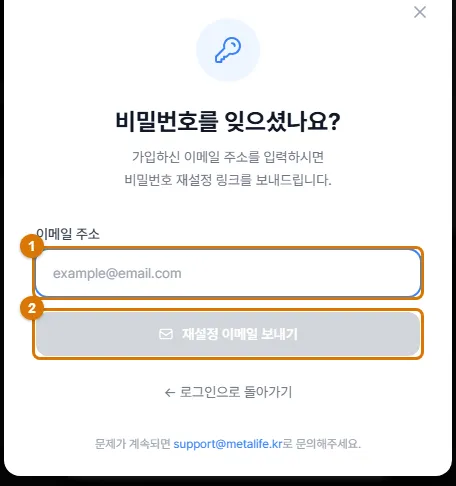
TipIf you signed up with Google or Kakao, you do not have a separate password. Log in with that button.
5. On your phone
The steps are the same on your phone. Tap Login at the top and the same window opens.
6. Log out and change the language
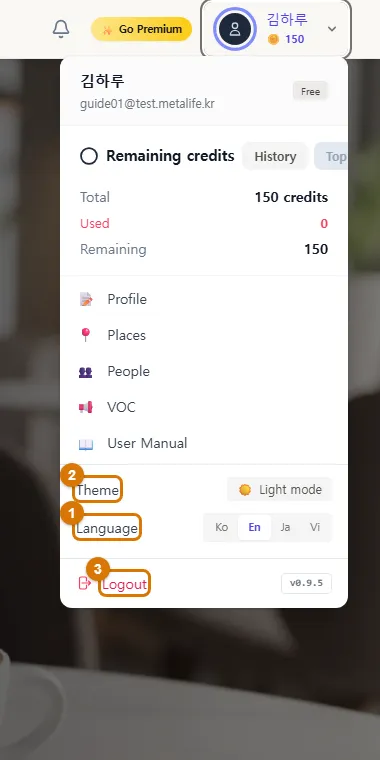
- After you log in, click your name (or photo) at the top right. The user menu opens.
- Click Logout at the very bottom to log out right away (it does not ask first).
- In the same menu, use Language to change the language and Theme to switch between a light and dark screen.
Check
- You see "Hello, (your name)" at the top of the home screen.
- Your name and remaining AI credits appear at the top right.
If you get stuck
- The Google login window does not appear
- You probably opened the page inside an app like KakaoTalk or Instagram. Open it again in a browser such as Chrome or Safari.
- The sign-up button does not work
- Make sure you checked your email, filled in your date of birth and gender, and agreed to the terms.
- The password reset email does not arrive
- Check your spam folder. Accounts created with Google or Kakao have no password, so no email is sent.
Next chapter → Get to know the home screen and menus
This chapter matches the screens as of 2026-10-09. Button names update automatically with the app.