Try it in 30 seconds, before signing up — the day you were born
No sign-up needed. Pick your birth date and birthplace, and you will see the weather on the day you were born and that year's prices and songs, each with its source.
When you are done, you can save the day as a newspaper page or a card, and if you like, keep it as your first story.
What you need
- A computer or phone with internet access
- Your birth date (solar or lunar calendar)
1. Open the experience
- Go to mylifebook.kr/born. On the Korean home screen, the large amber button in the middle opens the same page.
- After logging in, the same link at the top of the home screen also opens it.
2. Pick your birth date and birthplace
- Choose Solar or Lunar. If you choose the lunar calendar, the solar date is shown right below.
- Pick the year, month and day. If that month had a leap month, you will be asked which one.
- Pick your birthplace. If you are not sure, choose I'm not sure.
- Click See that day.
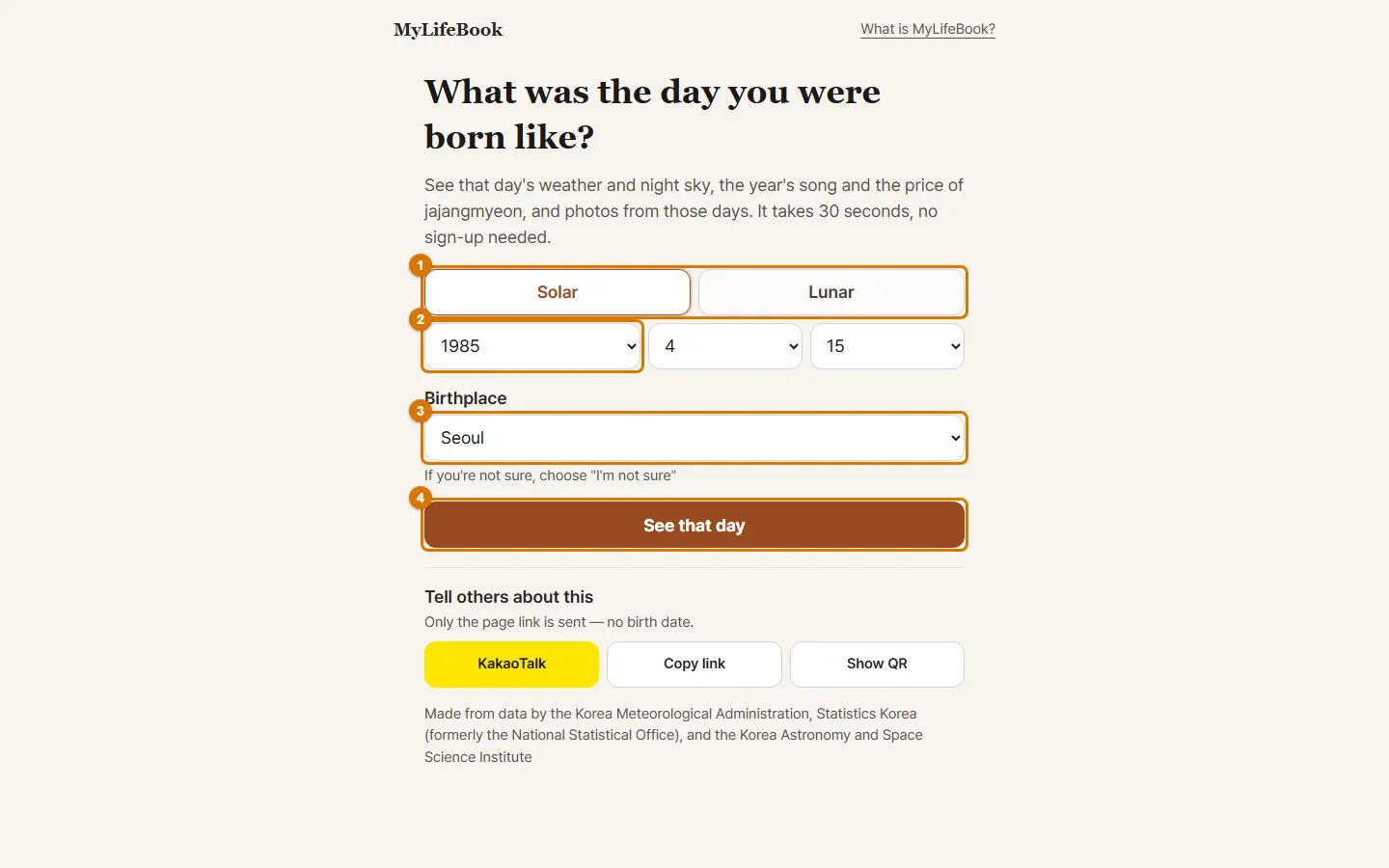
TipWith a birthplace, you also see that day's weather from the local weather station and the sunrise time. Without one, only the weather item is left out.
3. See the day
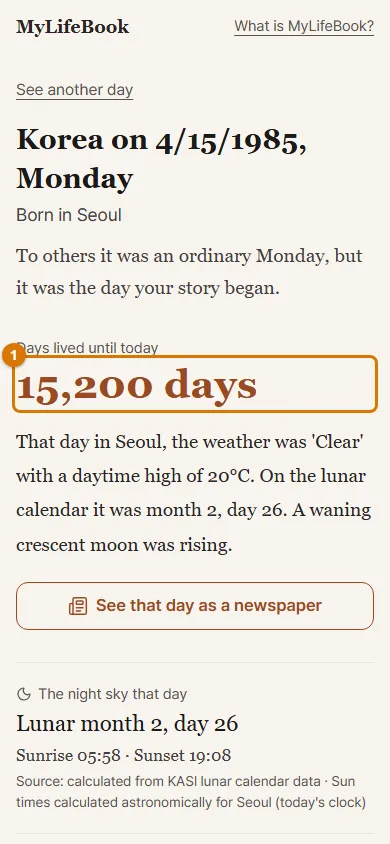
At the top you see how many days you have lived so far and one sentence about that day. Scroll down and every item shows its source.
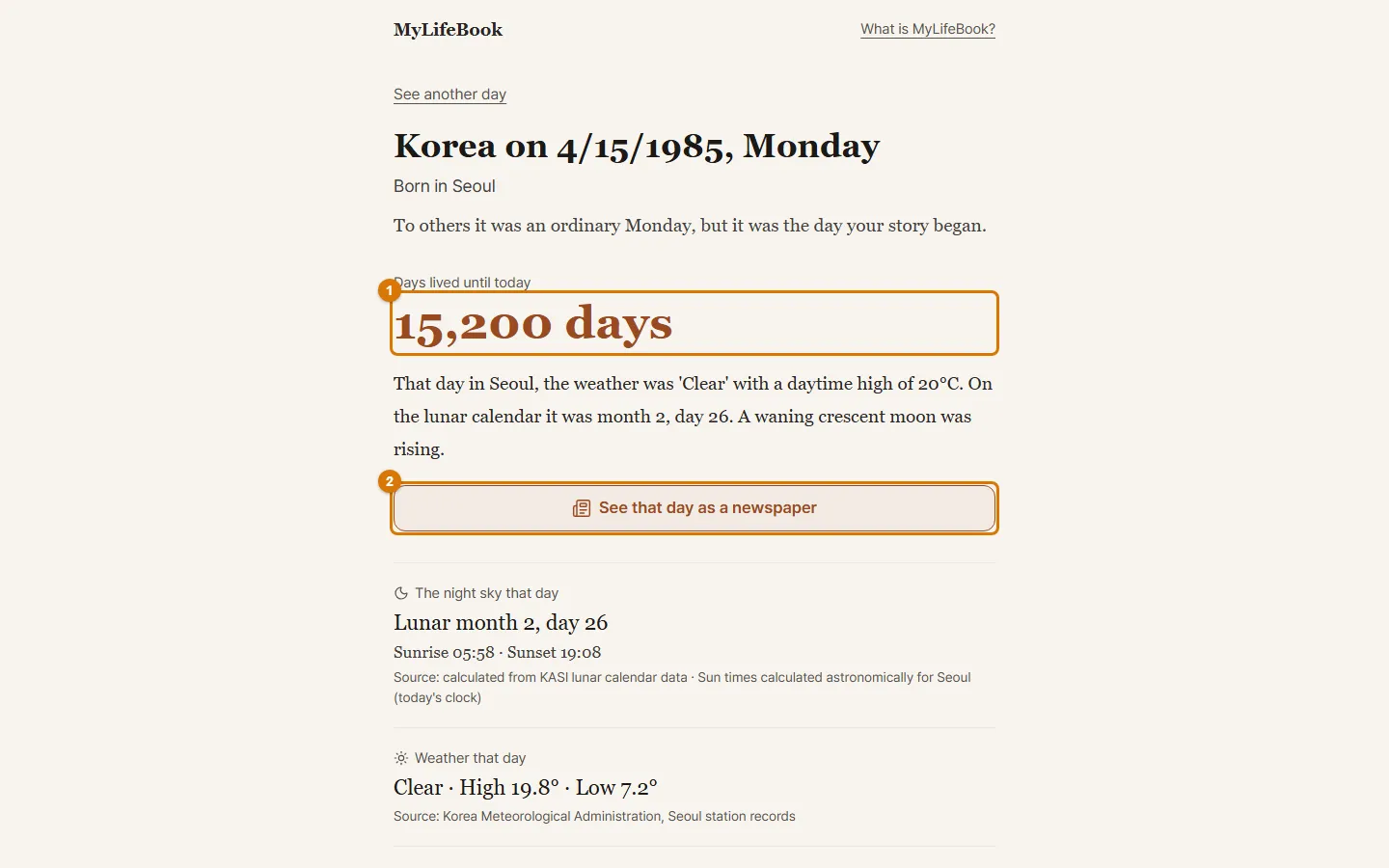
- The night sky (lunar date, moon phase) and the weather — Korea Astronomy and Space Science Institute, Korea Meteorological Administration
- Prices that year (what 1,000 won then is worth today, noodle and bus prices) — Bank of Korea, Korea Consumer Agency and others
- Babies born that year and class sizes when you started elementary school — national statistics
- That year's song and film, a photo from those days, your zodiac animal and next birthday, and events in Korea that year
TipItems with no data for that year are hidden rather than left blank. For example, box-office records start in 2004.
4. See it as a newspaper
- Click See that day as a newspaper below the days lived. It gathers the items above into one newspaper page.
- To add a name, type it and click Add. This is optional.
- Save the picture with Download, or send it to your family.
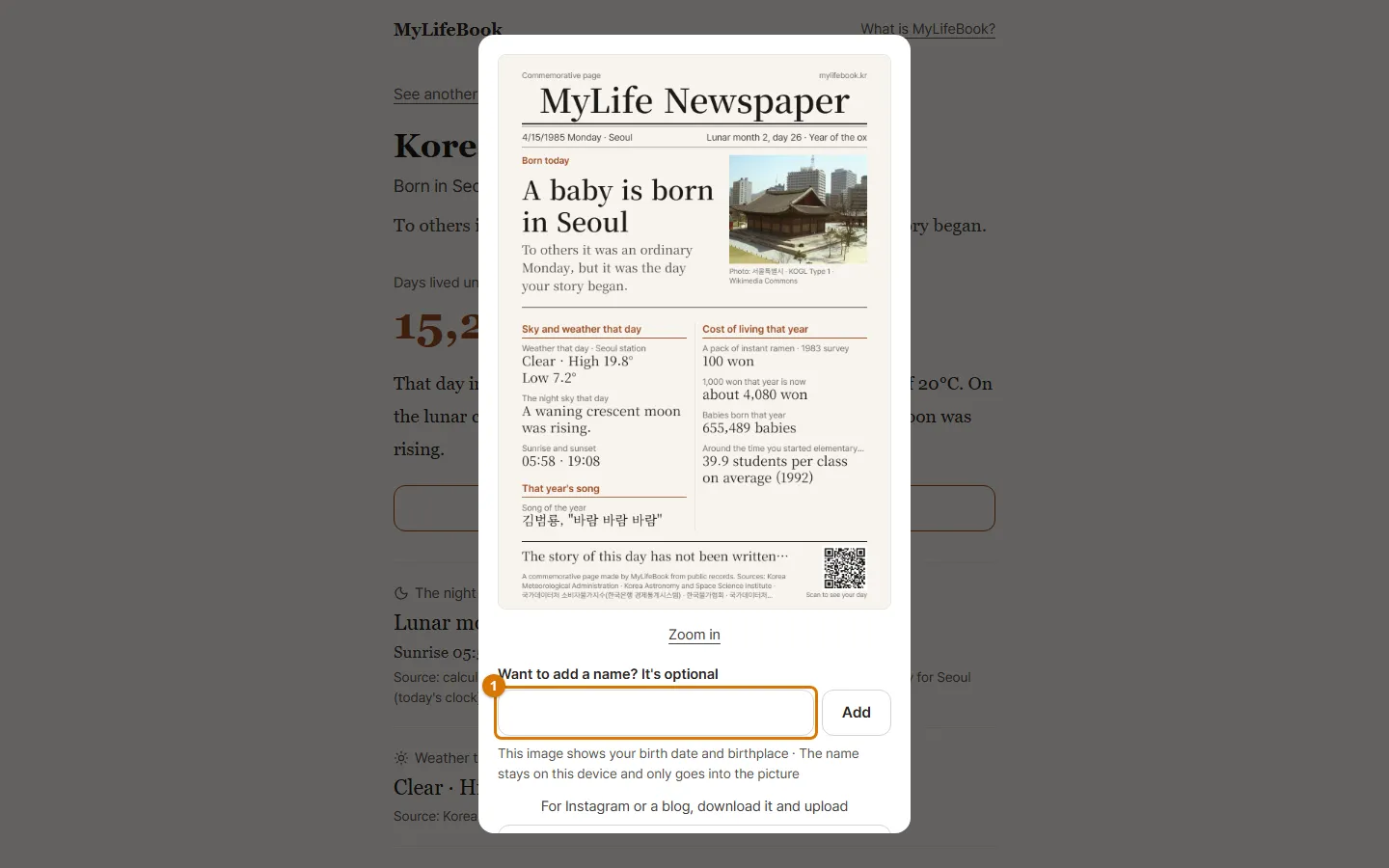
TipThe name is only drawn into the picture on this device. It is not saved anywhere.
5. Ask someone who remembers
You don't remember that day, so you can ask one question to someone who does.
- On the "A day I can't remember" card, click Ask someone who remembers.
- Pick one question: the weather, your name, or how they felt when they first saw you. The message they will receive is shown below.
- Send it by KakaoTalk or another app, or use Copy message and paste it into a text message.
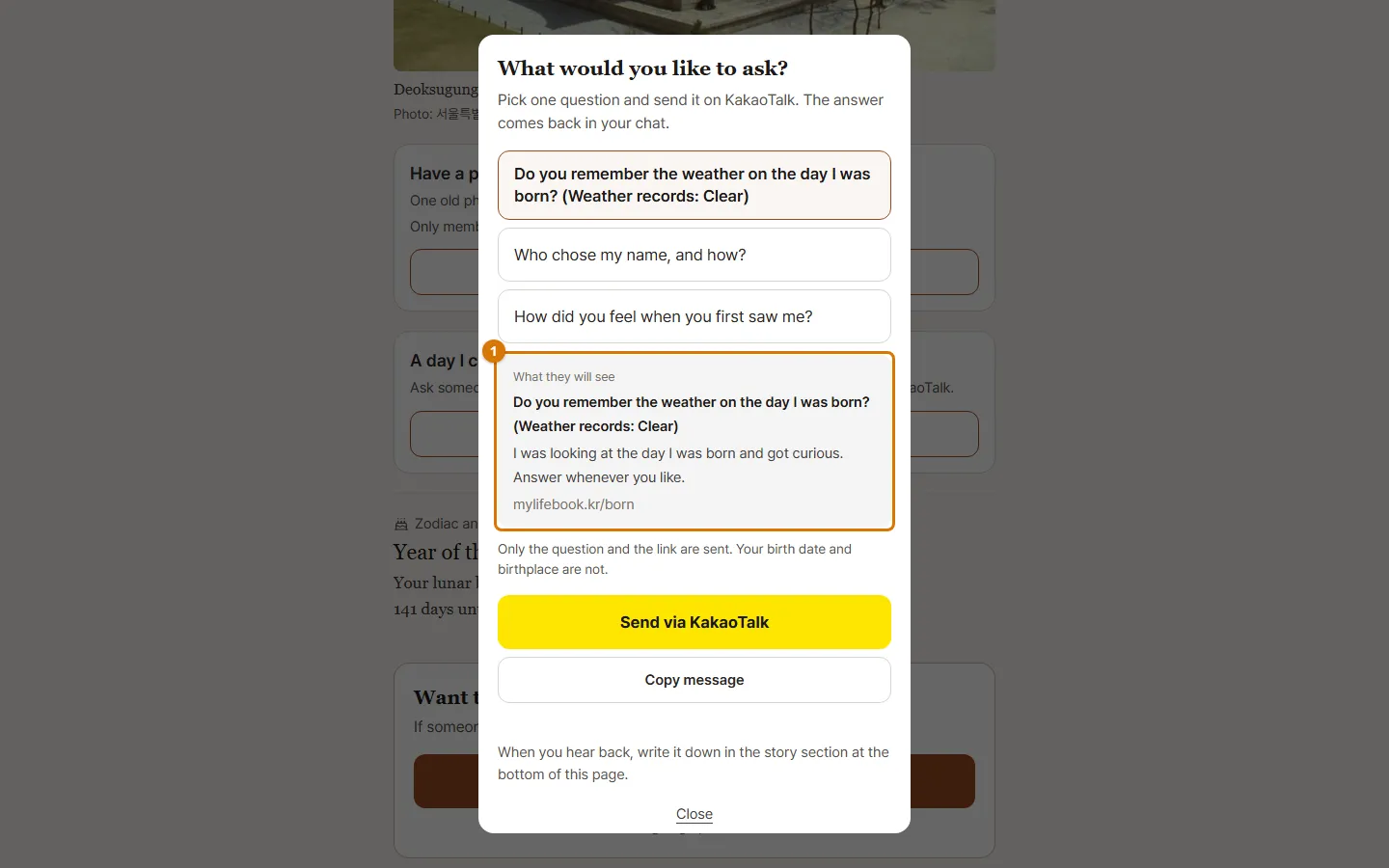
TipOnly the question and the experience link are sent — not your birth date or birthplace. When you hear back, write it down in the story section at the bottom.
6. Those years by your age
- On the "Those years, by my age" card, click View by age. For ages like seven or twenty, you see that year's song and film.
- Pick up to five years you remember.
- Click the button below and an empty story is added to your book for each year. You need to log in (sign-up is free).
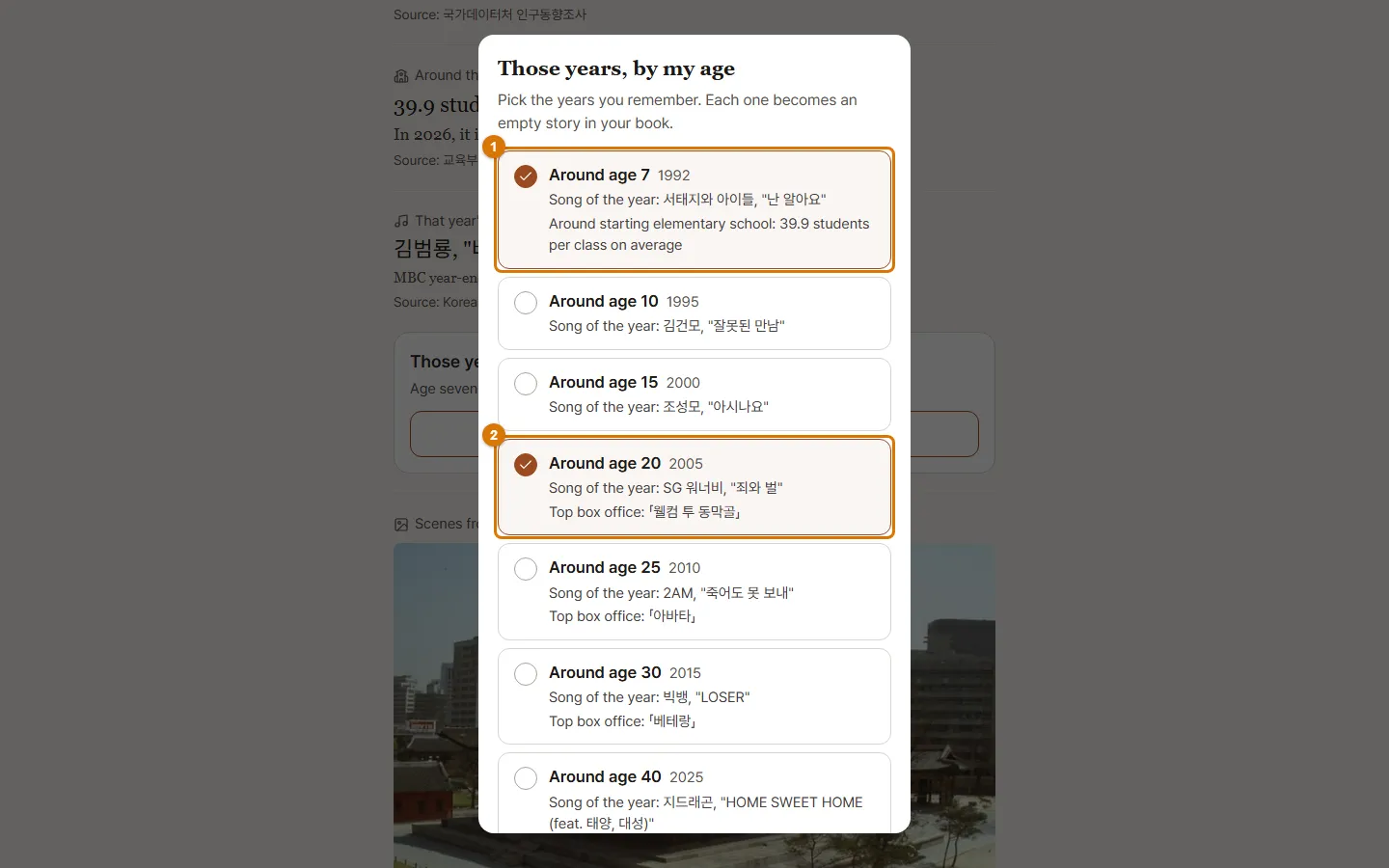
TipYears already in your book are left as they are. Each empty story is dated January 1 of that year, with only the year fixed.
7. Save, send and keep it as a story
- Day card: click Make a card of that day to make a card picture with that day's facts. You can download or send it.
- Send to family: send the link of this day by KakaoTalk or Copy link. The recipient will see the birth date and birthplace.
- Keep it as a story: click Try writing this day's story at the bottom. After you log in (sign-up is free), a writing screen opens with that day's scene already filled in, and saving it makes it the first story in your book.
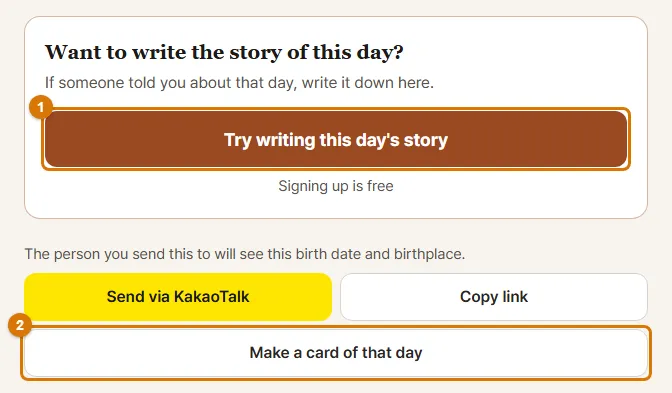
NoteSending, copying the link and the day card include your birth date and birthplace. When posting somewhere many strangers can see it, use the newspaper (the name is optional) or share the experience link instead.
8. On your phone
It works the same way on a phone. You can also save the card and newspaper by pressing and holding the picture.
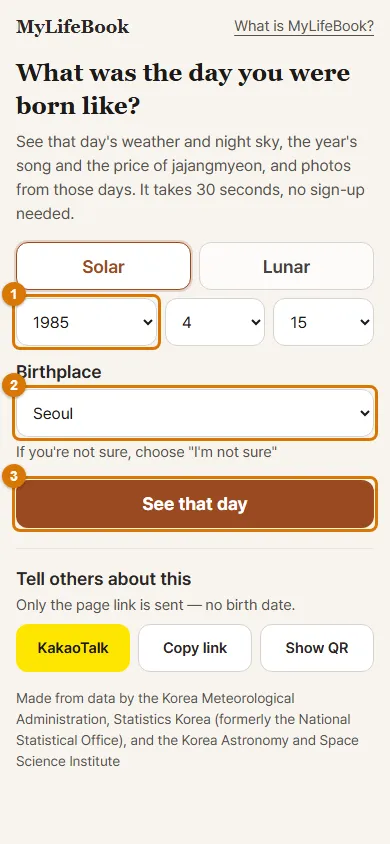
Tip"Tell others about this" below the input sends only the experience link, without any birth date. Use it to recommend the experience to friends.
Check
- "Days lived so far" is shown at the top.
- Every item has a source line.
If you get stuck
- I can't see the newspaper, card or ask buttons
- They are hidden when you opened a link someone sent you. Click See my day too below and enter your own birth date. The newspaper only appears for days with at least two kinds of data.
- The weather is not shown
- You chose an unknown birthplace, or there is no weather record for that region in that year. Older years have more gaps.
- I can't save inside KakaoTalk
- Downloads can be blocked in KakaoTalk's built-in browser. Press and hold the picture to save it, or open the page in another browser from the menu at the bottom right.
Next chapter → Sign up and log in
This chapter matches the screens as of 2026-11-25. Button names update automatically with the app.