Contact us
If this guide does not solve your problem, let us know through Voice of Customer (VOC) in the app. You can see what you sent and our replies again in My Submissions.
When you are done, your feedback is received, and if you left an email address, you can get a reply.
What you need
- You are logged in
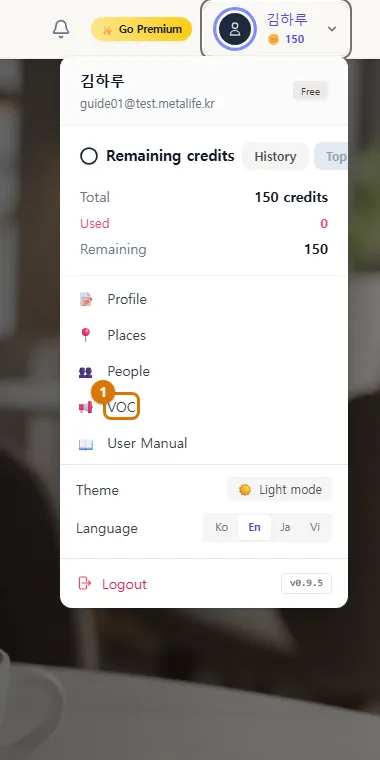
1. Open Voice of Customer
Click your name (or photo) at the top right to open the user menu, then click VOC.
2. Send feedback
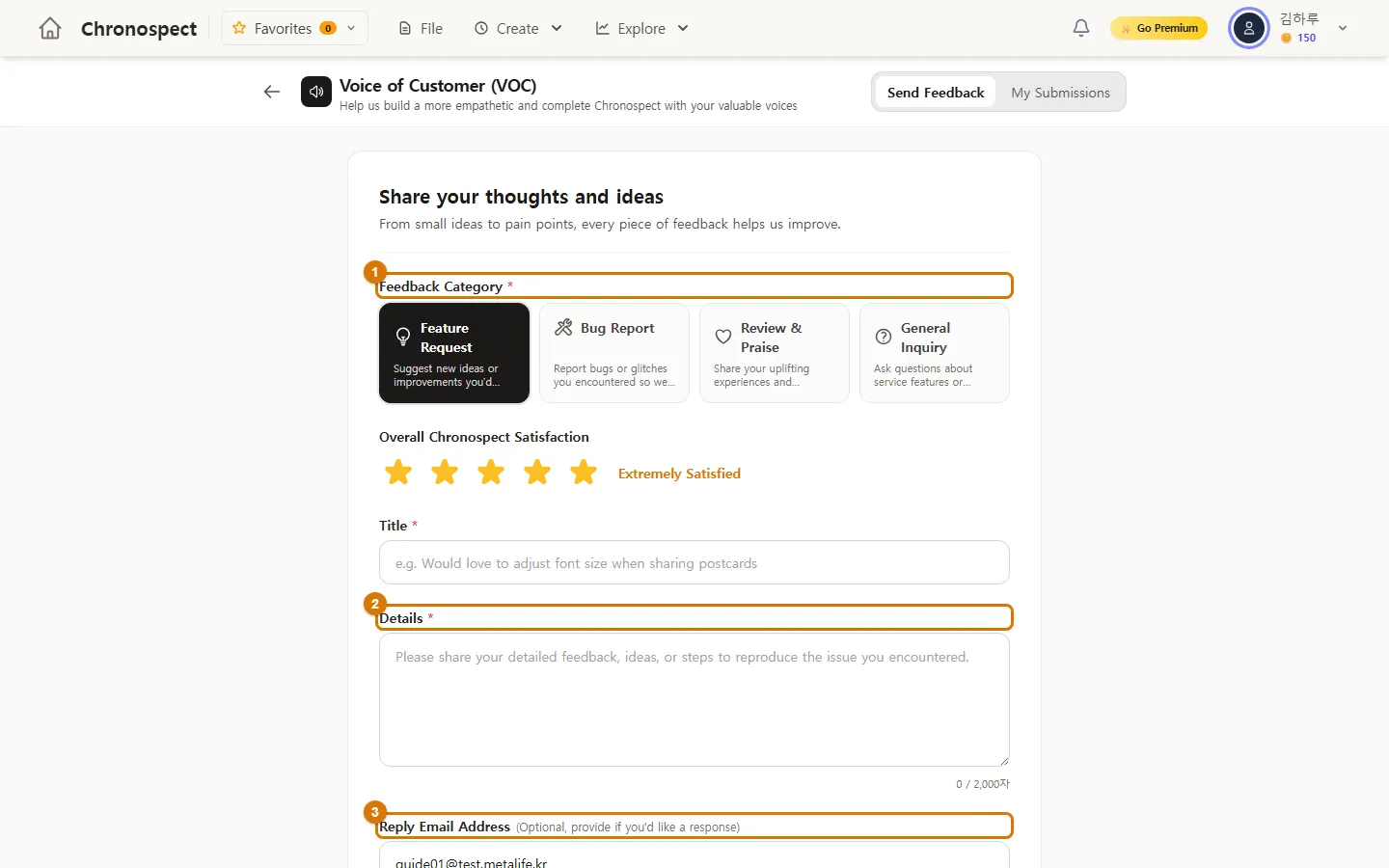
- Choose a Feedback Category (1): Feature Request · Bug Report · Review & Praise · General Inquiry
- Choose a satisfaction rating with the stars and write a title (at least 3 characters).
- In Details (2), write what happened. For a bug, telling us "which screen, what I clicked and what happened" helps us fix it faster.
- If you want a reply, check the Reply Email Address (3) and click Submit Feedback.
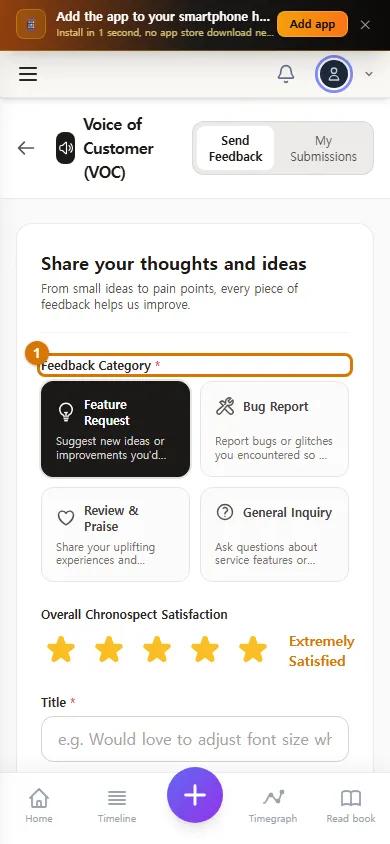
TipYou can see the feedback you sent and our replies in the My Submissions tab at the top.
3. Contact us by email
If you cannot open the app — for example, when you cannot log in — email us at mylife@metalife.kr. Please include the email address you signed up with and what happened.
Check
- The feedback you sent appears in My Submissions.
If you get stuck
- Nothing happens when I click Submit Feedback
- The title needs at least 3 characters and the details at least 5.
This chapter matches the screens as of 2026-10-09. Button names update automatically with the app.